
Today, the internet has become our everyday reality. Even though we might not always have access to it, we still try to stay connected wherever we are. That is exactly why there are devices that help us maintain a connection to watch content or do other necessary things online. It is true that the internet is definitely not a problem at home today, as almost everyone has a fiber-optic connection, but there are also cases when all this is simply not available.
I encountered exactly this kind of problem when I decided to travel by ship, and catching an internet connection near the land when there is no other alternative feels like a victory. Today, you can easily catch the internet with a mobile phone in an area where the signal is reasonably strong. However, despite this, a constant connection via mobile internet might become a problem because we constantly hold the mobile in our hands, sometimes in different rooms, and this might specifically cause connection problems in this case.
In general, what is a 4G router for? What does it represent today? Can't we just catch the signal with a mobile phone? Yes, that is absolutely true, we definitely won't need a 4G/5G router when we move around the city or stay in a hotel for 1-2 days; at this time, it is simply associated with extra luggage and nothing more. This specific category of routers has its specific users, and to tell you the truth, I don't think the demand for it is high.
As for my decision to buy a 4G router, it was related to the fact that I spent quite a long time on a ship, and it was a kind of home for me. Because of this, this decision served the purpose of maintaining a connection by placing it near the window when the ship is at anchor along the land, so I didn't hesitate much and bought it. Its price is not that low, it costs about 70-80 dollars on average.
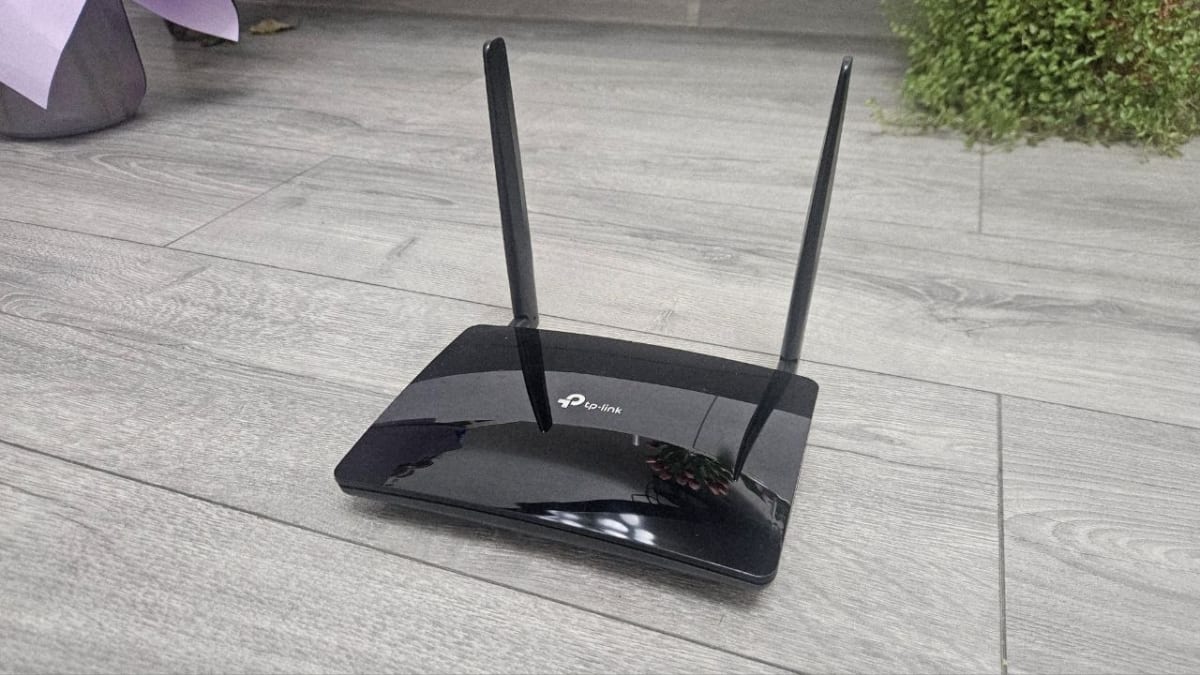
This is the Tp-Link MR6400, a 4G router that works as a regular router and also has a mobile connection catcher. My calculation was simple: those two antennas, which are more massive than a phone's antenna, would help it receive and transmit a better connection. Yes, this is how it should have been. I immediately inserted a SIM card into it, and just as I was about to test the power of this device, I encountered a strong and solid reality: the signal was quite weak.
This router also comes with its own app, which you can easily download, and after installing it, you will have full control and access to its menu. This is exactly what I did, and I tried to adjust it from the settings, thinking maybe there was some mistake. After digging and searching a lot in the settings, I discovered that the real problem was not in the software but directly in the hardware. This was not a direct problem of my router but a problem of its functionality itself.
For a test, I inserted the same SIM card into another mobile phone right there and tested it. This mobile is one of Xiaomi's cheapest mobile phones, but I got a better connection on it. Something is not right, is it? As it turned out, the antennas of this modem mostly serve to broadcast Wi-Fi to your devices and not to receive a 4G signal. After many tests, I was convinced of this. It seemed like these antennas had some impact on the signal, but nothing great. I removed the antennas for a test and tied them back, which did not change the situation at all.
This was a bitter experience of reality: a modem that equals the price of this cheap Xiaomi lags behind in receiving a signal? Unfortunately, on this specific model, this definitely turned out to be the case. After searching a lot and going into details, I even discovered that this model does not have as good a receiving chip as a cheap Xiaomi mobile phone, or maybe even another brand's.
Despite the fact that its functionality is fully based on receiving and broadcasting a connection, this TP-Link product is definitely not what you should be buying when you go traveling. But after buying it, what could I do? I decided to use my mobile phone again and share it to my other devices. The real problem here is that the mobile battery drains, then we have to charge it, and so on, constantly trying while receiving a signal.
But we can easily assign a place for the mobile from where we will share the signal and also be able to charge it. Although this will significantly reduce its battery lifespan, it is still a better solution than taking this router for traveling.
Now I want to talk about that small group of people for whom this router might be useful. Of course, not many, but for a portion of people who have a small house in the village or in the mountains where fiber-optic internet is not available, you have to stand in front of the window to catch a signal because otherwise, mobile internet does not catch in the rooms, and you have to visit this place for a long time and repeatedly. Then this modem can be said to be what will be useful for you.
You assign a place for the router in front of a window, and Wi-Fi is guaranteed throughout the house. With the help of its 2 antennas, which actually serve exactly to broadcast the Wi-Fi signal and not to receive the 4G signal, it will spread the signal throughout the house and might also cover a small yard.
But let's face the reality now, when 90 percent of people don't actually have such a village or a house in the mountains. The vast majority of us buy it to have a simple and fast internet connection while traveling. Subconsciously, we think that it has much more power than a mobile phone can receive, but I was definitely wrong about this, and I advise you not to be wrong either.
For this price, you will actually be able to buy a cheap mobile phone of any brand that will have a 4G connection, and you will also be able to easily share it with your other devices to travel or relax comfortably. On the secondary market, you can even buy a smartphone with the same capabilities for half the price of this router. It is interesting that a smartphone with much more functionality, display, and memory could deliver a better result than this router did, and this smartphone cost exactly 90 dollars. Interesting, isn't it?
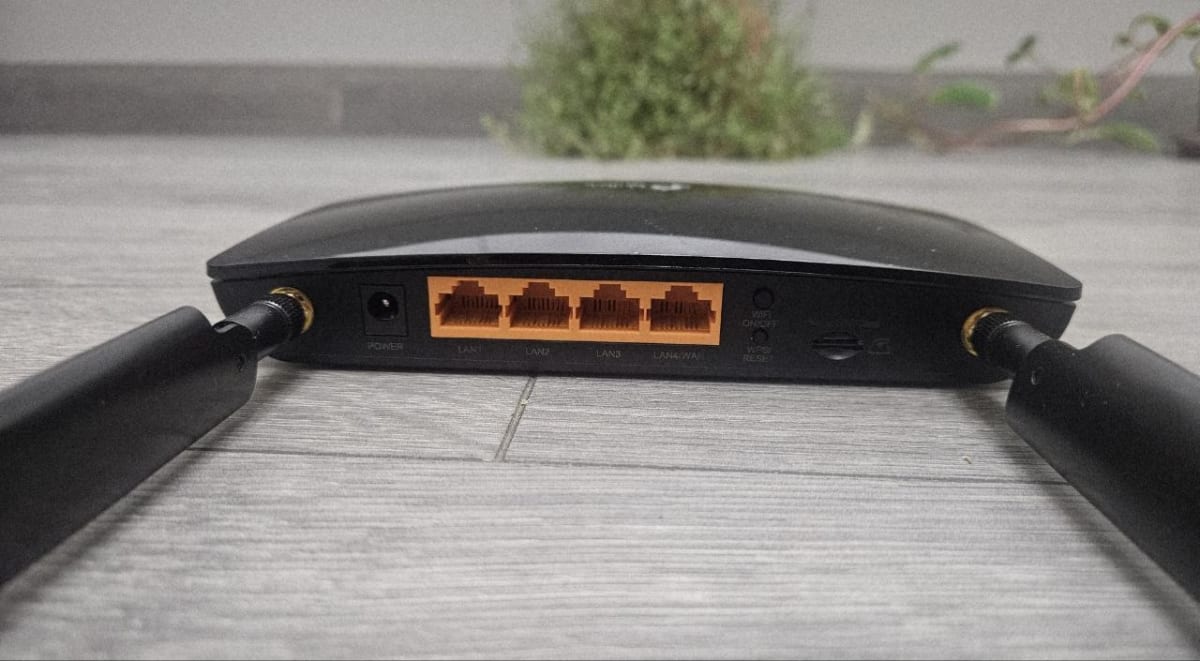
Okay, okay, let me briefly review what you will find when buying this router. 2 antennas located on the front panel, LED indicator lights showing the 4G signal reception range, a Wi-Fi broadcast light, a 4G signal reception light, a Wi-Fi broadcast light, and, of course, a power light. On the back panel, you will find 4 LAN ports, 1 of which is also a WAN port, which makes it possible to use this router like any other regular, non-mobile router. We plug an internet LAN cable into it and broadcast Wi-Fi.
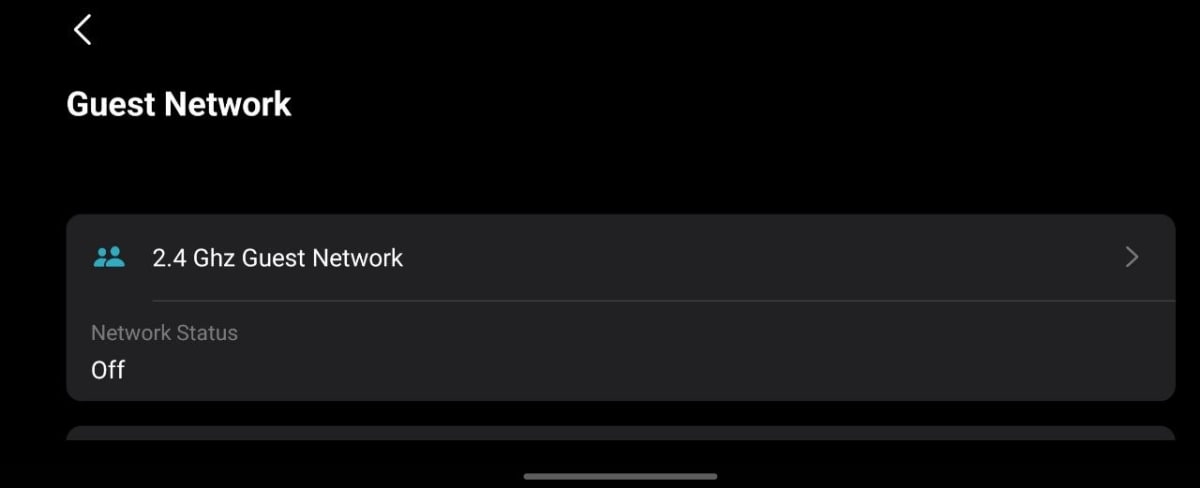
Meanwhile, in its software, we can configure it, change the Wi-Fi password, and set a megabyte consumption limit on it. Also, an interesting feature is Guest Wi-Fi, which provides the broadcast of not one but two separate Wi-Fi networks with different passwords, so you can give access to others without revealing your main Wi-Fi password.
The summary of this article will be that purchasing this router at this price is definitely not worth it unless you have that specific requirement from the router that I talked about above. In all other cases, I advise you to simply use a mobile hotspot.
In this article, I also mentioned a budget mobile phone. One budget Samsung phone about which an article has already been written is the A25 5G. Yes, this is a 5G mobile phone that will be useful for you to travel, but not only to share; it is a normal performance mobile phone for its price, which you can use to watch content or for other small and medium tasks. See the article here.